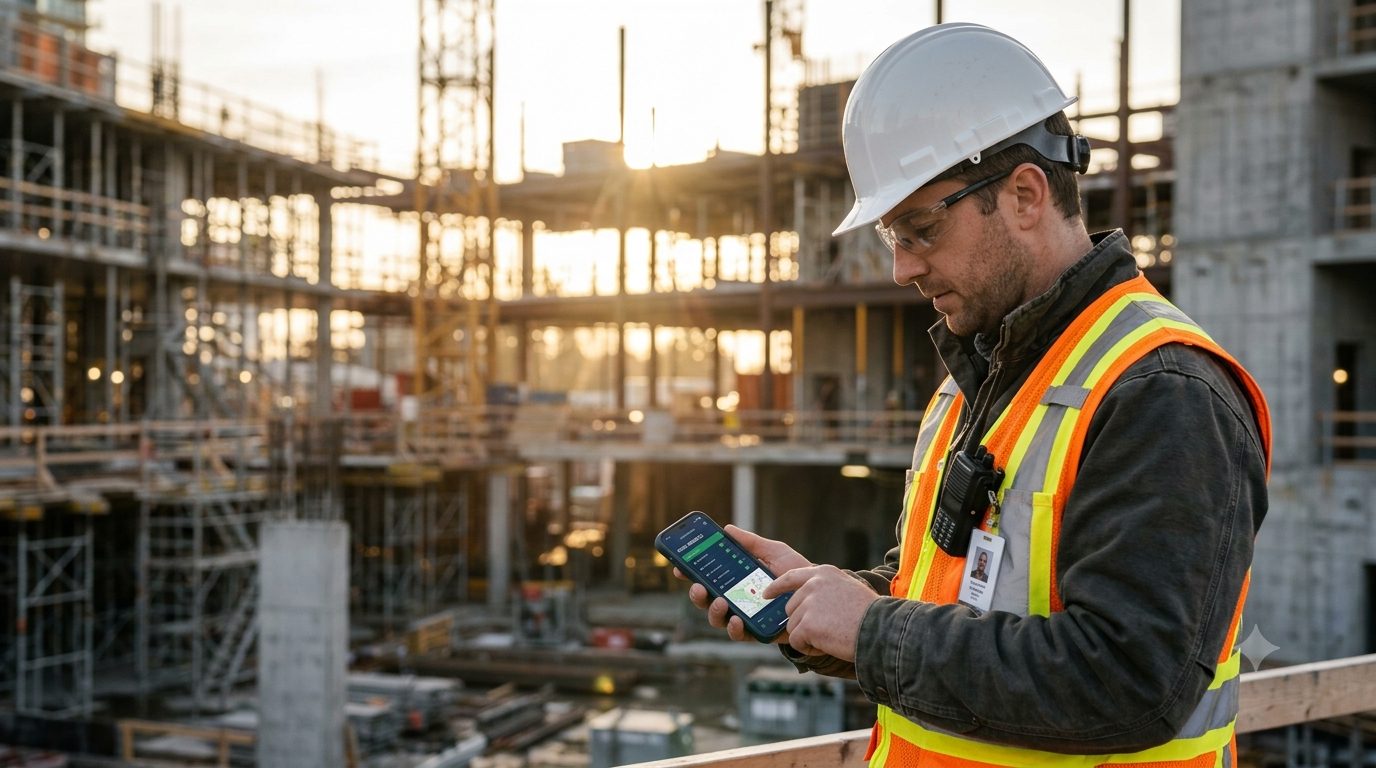
Know who's on site.
Right now.
Phones detect site arrivals and departures by geofence. Wearable Bluetooth beacons cover crews without one, asset beacons show whether your plant and tools are on site, and sensors log temperature and humidity around the clock. Admins see it all live.
Tracked on site. Never in between.
You draw a geofence around each site. CrewPresence only records someone while they're inside one. The moment they leave, tracking stops, and it picks up again when they arrive at the next site.
- Inside a geofence: trackedArrival and departure times are recorded automatically, the person shows on the live dashboard, and with live tracking on, their position shows on the site map.
- Outside every geofence: not trackedNo location is recorded between sites, on the drive home, at lunch or on weekends. Nothing to see, nothing stored.
Position updated 2 min ago
Who is on site? Just look.
Anyone on site can open a map of it and see who else is there. Tap a person for their details, then message them in one tap.
- See everyone on siteEach person appears on the map while they are inside the site fence and live tracking is on for them. Nothing shows once they leave.
- Tap for the detailsRole, availability, how long they have been on site and how recent their position is.
- Chat in one tapOpens the direct chat with that person, ready to type. No phone numbers to hunt for.
An admin switches live tracking on for each person. Positions are only shown to people on the same site, and are deleted after 30 days.


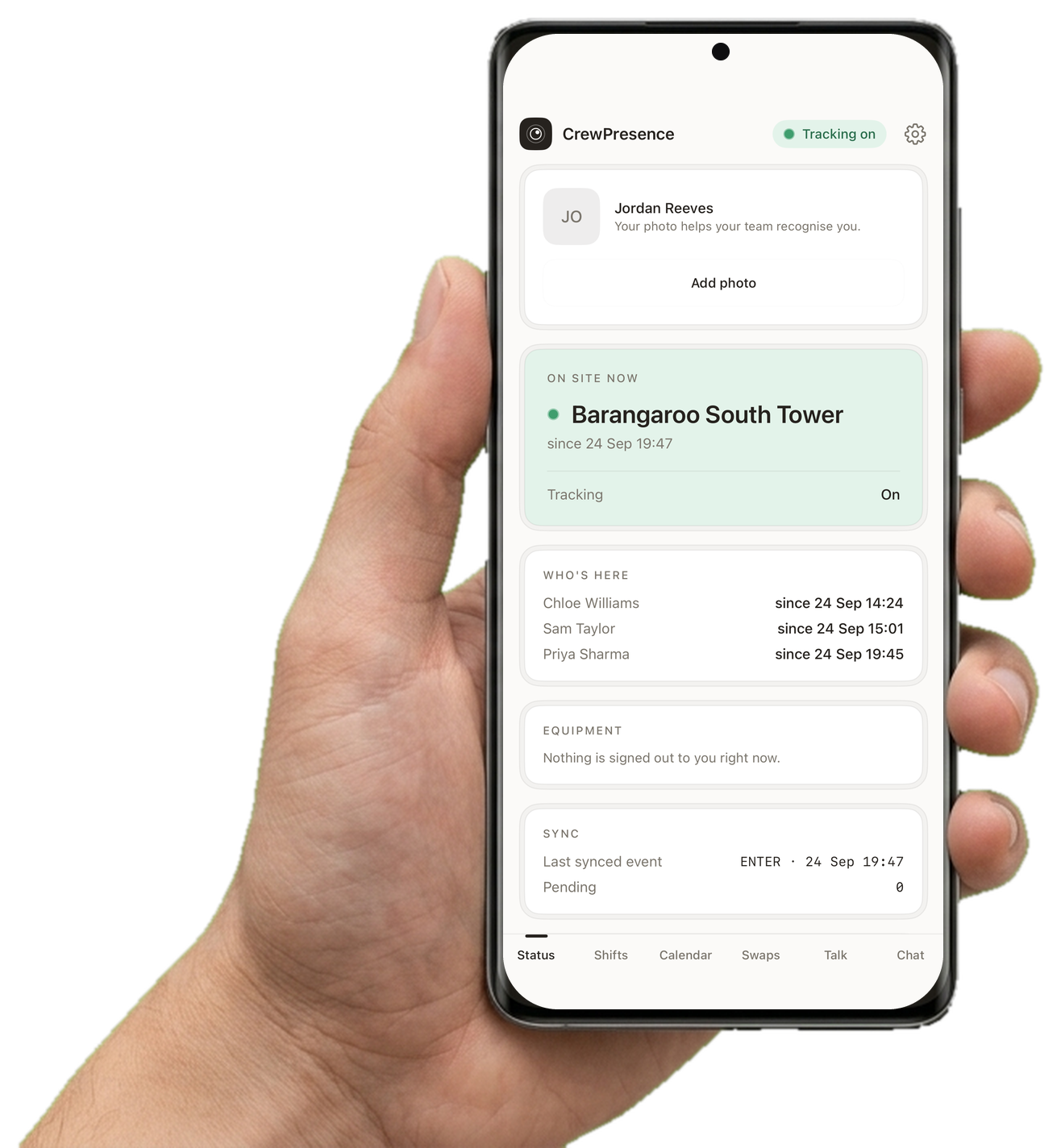
Everything they need to see, nothing they need to do
Once a phone is paired, it just runs. The one screen a crew member ever opens shows exactly what's happening: no sign-in, no checklist, nothing to remember.
- Live statusWhich site, and since when, right on the lock screen. No digging required.
- Background syncEvery arrival and departure queues automatically and syncs the moment it can.
- Roster, chat and alertsShifts, open shifts, swaps, leave requests, site chat and emergency alerts live in the same app, so crews only ever install one thing.
The whole operation, from one screen
While crews just get on with the day, admins and site managers get a live view of every site: who's on it right now, and the full history behind it.
- Live headcountsEvery site, updated the moment someone arrives or leaves.
- Full attendance historyEvery arrival and departure, timestamped and searchable, for as long as you need it.
- Daily reportsExport attendance for payroll, compliance, and client billing without chasing timesheets.
- 1Spot the gap
- 2Fill the shift
- 3They accept on their phone
Swap shifts without the group chat.
Crew see their roster in the app. When plans change, they ask a teammate to swap, the teammate accepts, and a manager approves. The roster updates itself.
- Ask a teammate to swapPick a shift and a teammate in the same role. They are notified straight away.
- They accept in one tapAccept or decline from the phone. Nobody’s roster moves without their say.
- A manager approves, both rosters updateOnce approved, the shifts trade places on both rosters and both people are told. Until then, nothing changes.
Weather closes the site. One tap does the rest.
When weather stops work for the day, a manager picks the site and the days on the Leave page, checks who is rostered there and confirms. Everyone with a shift or a published job at the site goes on approved leave in one go, instead of being added one person at a time.
- Pick the site and the daysOn the Leave page, choose the site and one or more days. You see who is rostered there before anything is recorded.
- One confirmation records everyoneEveryone with a scheduled shift or a published job at the site on those days is recorded as on approved Inclement weather leave. People already on leave are left as they are.
- Told at once, not chased upEach person gets a notification on their phone straight away, and an email if they have an address, in their own language. The roster shows them on leave, and “hasn’t checked in” reminders skip them.
Admins can close any site, and a site manager can close their own. The shifts and jobs themselves are not cancelled.
No phone? No problem. Clip on a beacon.
Not everyone on a site carries a phone, and plant and tools never do. CrewPresence beacons are small, rugged Bluetooth tags that a gateway at the site detects automatically, so people and assets show up on the same live dashboard as everyone with the app.
- Wearable beacons for crews without a phoneA coin-sized Bluetooth tag sticks to a hard hat or clips to a lanyard or vest, for $30 one-off. Nothing to charge daily, nothing to open, nothing to remember. Presence is picked up the moment they walk onto site.
- Asset beacons for plant, tools and vehiclesStick a beacon on a generator, a laser level or a ute and the site shows whether it is on site or not, alongside your people. Know before you drive out that the gear is where it should be.
- Detected at the gate, not tracked around the countryOne LTE gateway per active site listens for your tags and works with no Wi-Fi at all, and moves with you from project to project. Add a signal repeater for each extra level. Off site, a tag is silent with no location of its own, so the same privacy rules apply as for phones.
- Beacon (helmet or asset tag)
- $30each
- One per worker or asset
- LTE Gateway
- $150each
- One per active site, reusable, required for beacons
- Outdoor Mobile LTE Gateway
- $350each
- Solar powered, for outdoor or off-grid sites
- Signal repeater
- $80each
- One per extra level or zone
One-off purchase in AUD. No per-device subscription.


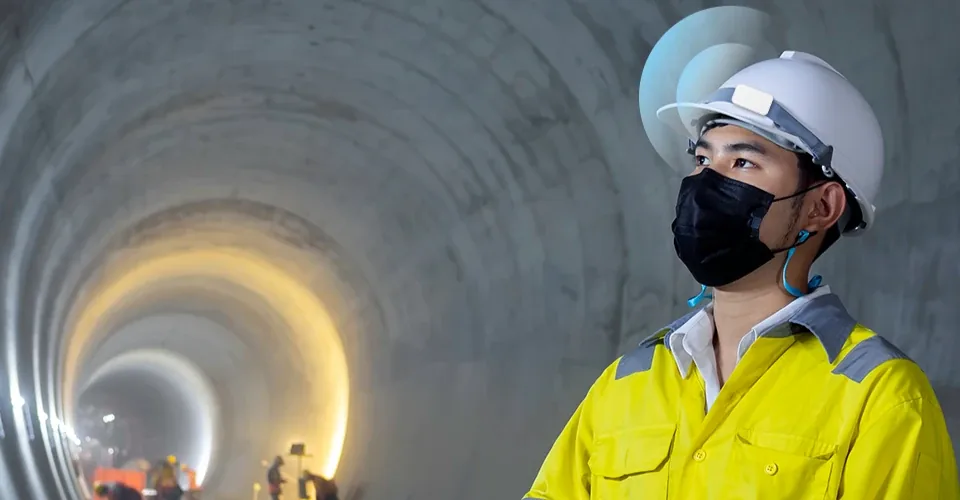

Know what the site was like, not just who was on it
Battery-powered sensors log temperature and humidity at each site around the clock and report through the same gateway as your beacons. Every reading is kept over time, so you can prove conditions for a client, an auditor or a WHS record, and get told when a room drifts out of range.
- Cold rooms and food storage
- Concrete curing and coatings
- Server and comms rooms
- Heat-stress records for WHS
- Warehouses and archives
- Mould and damp monitoring
One hold. Everyone knows.
Anyone on site can hold the SOS button to raise the alarm. Every phone in the company gets an alert with who it is and where they are, and managers are emailed.
- Hold to sendThe button needs a deliberate two-second hold, so a stray tap does nothing. It only works while the person is on site.
- Everyone is told at onceThe alert reaches every phone in the company, on site or off, with the person’s name and location. Portal users are emailed.
- A manager closes the loopThe alert stays active until a manager marks it resolved in the portal.
Presence tracking that runs itself
Pair a phone, or clip on a beacon
Any iPhone or Android, company-issued or personal, pairs in 30 seconds. Crews who don’t carry a phone wear a small Bluetooth beacon on a hard hat, lanyard or vest instead.
Automatic detection
Phones detect site arrival and departure by geofence in the background. Beacons are picked up by a gateway at the site. Either way, nobody checks in, and nothing is forgotten.
Live dashboard
Admins and site managers see exactly who and what is on site right now, plus the full attendance history, temperature and humidity behind it.
Straight from the app, not a mockup
These are real screens from a demo tenant: the dashboard, a site's live roster and map, and the 30-second phone pairing flow crews go through once.
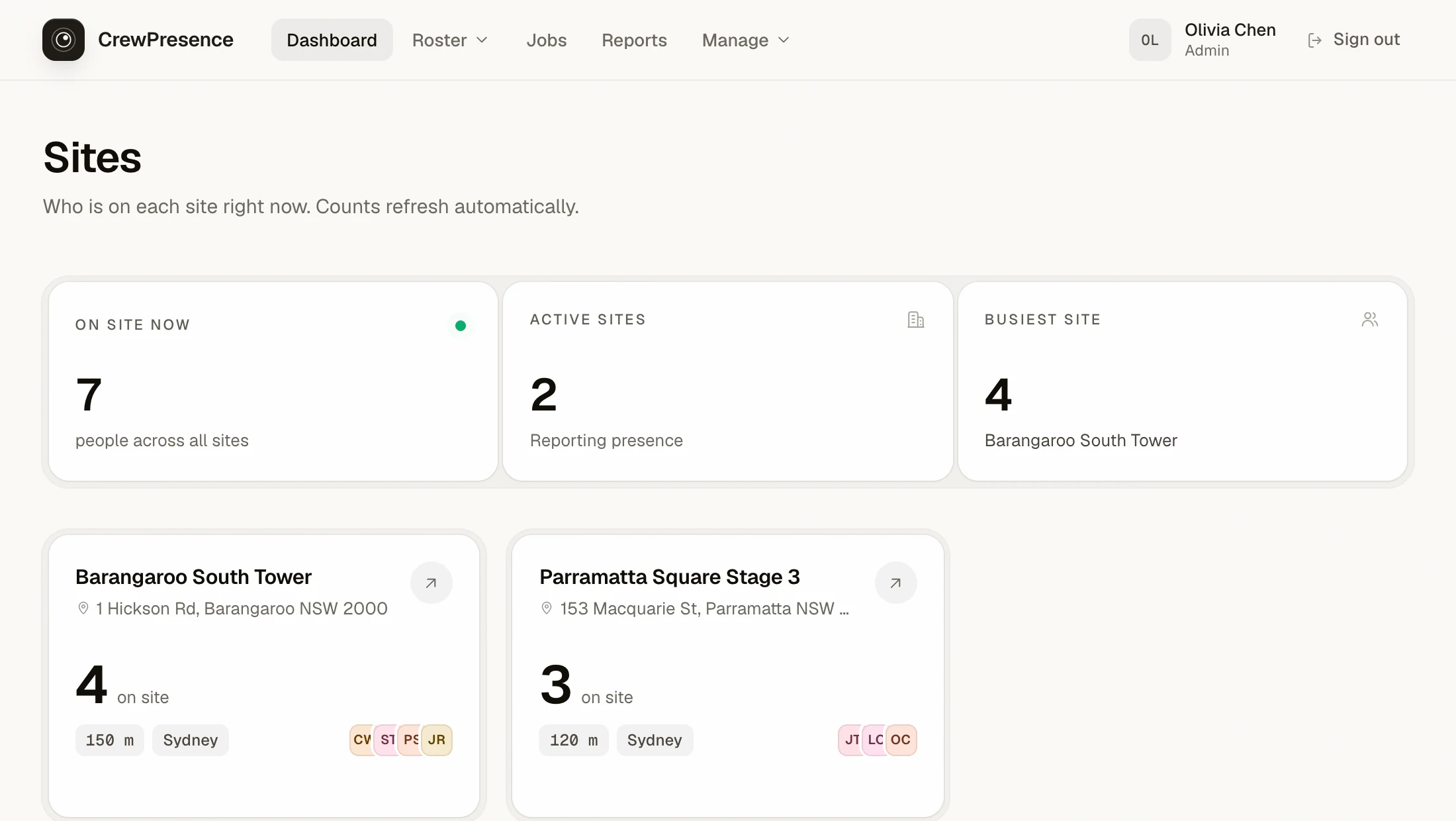
One portal for every site, crew, asset and subcontractor
Live headcounts
Every site, updated the moment someone arrives or leaves. Phones and beacons alike.
Attendance history
Every arrival and departure, timestamped and searchable, for as long as you need it.
Multi-site, multi-company
Manage sites, subcontractors, and crews from one portal, with each company fully isolated.
Rosters and open shifts
Plan the week on one roster: shifts for who works when, and jobs for crewed work with a shared checklist. Repeat them weekly, and post open shifts your crew claims from the app. Leave and unavailability show before you book anyone.
Jobs and tasks
Roster crews onto a job, then track its tasks. Anyone on the crew can tick them off from the app with notes and photos.
Chat and calls
Site channels, direct messages, attachments, and voice calls in the same app crews already have.
Emergency alerts
Anyone on site can hold the SOS button to alert every phone in the company, with who they are and where. Managers are emailed too.
Onboarding checklists
Reusable task lists for starting and leaving crew, applied per site and started from the employee’s profile.
Asset register
Plant, vehicles and tools with assignments, service logs, rego and insurance reminders, and on-site presence via beacons.
Daily reports
Export attendance for payroll, compliance, and client billing without chasing timesheets.
- No sign-in sheets
- Works in the background
- Full tenant isolation
- Exportable daily reports
- Microsoft Entra sign-in
- iPhone and Android
One simple price per employee. Hardware only if you need it.
Every feature, every site and both apps are included. Hardware is a one-off purchase, only if you need it.
Beacon $30 each·LTE Gateway $150 each·Outdoor solar Gateway $350 each·Repeater $80 each
- 14-day free trial
- No lock-in, cancel any time
- Seats adjust automatically
Before you ask
Does CrewPresence work on iPhone?
Yes. There are native apps for both iPhone and Android, and a phone can be company-issued or an employee’s own. Both apps do the same thing: geofence detection in the background, plus roster, chat and alerts.
What if a worker doesn’t carry a phone?
Give them a wearable beacon. It clips to a hard hat, lanyard or vest and is detected by a gateway at the site, so they appear on the dashboard exactly like someone with the app. A beacon runs for about three years at the default settings, with nothing to charge.
Can I see whether equipment is on site?
Yes. Put an asset beacon on plant, tools or vehicles and each site shows which assets are currently on it. Assets also live in the register, with assignments, service logs and rego and insurance reminders.
What do the sensors record?
Temperature and humidity, logged continuously per site and kept over time. You can chart any period, export it, and set a range that triggers an alert when a room drifts out of it.
Does it track employees outside work sites?
No. Location is only recorded at a nominated site: arrivals and departures, plus a position every few minutes for anyone you switch live tracking on for. Outside every site, on a commute, at home or on a break, nothing is recorded. The one exception is a manager asking for someone's location and that person choosing to share it. Beacons have no location of their own and are only heard by gateways at your sites. See our Privacy Policy for the full detail.
What happens if a phone loses signal or goes offline?
Nothing is lost. Presence events queue on the device and sync automatically the moment it's back online, with the app retrying in the background every 15 minutes.
Can an employee turn tracking off?
"Unpair this phone" is one tap away on the device itself, and stops tracking immediately.
Do we need to buy company phones?
No. CrewPresence pairs to any iPhone or Android phone, whether it’s company-issued or an employee’s own. For crews who shouldn’t or can’t carry a phone, a beacon does the job instead.
Is our data kept separate from other companies using CrewPresence?
Yes. Every company’s data is isolated at the database level. There is no cross-company visibility, ever.
How much does it cost?
$11 AUD per active employee per month, with a 14-day free trial and no lock-in. Hardware is optional and one-off: helmet tags are $30 each, an LTE gateway is $150 (or $350 for the solar-powered outdoor version), one per active site and reusable when a project finishes, and a signal repeater for extra levels is $80. See the pricing page for the detail.
It checks a boundary. That's all.
CrewPresence is built to answer one question only: is this phone, beacon or asset inside a nominated site right now. It was never designed to watch where people go, and it can't, by construction, do so.
Site boundaries only
Location is used inside your sites and nowhere else. The phone checks its position against each site's fence to record arrivals and departures.
Live positions are opt-in
By default only arrivals and departures are recorded. Switch on live tracking for someone and their phone also shares a position every few minutes while they're on site, shown on that site's map to managers and crew there. Positions are deleted after 30 days.
Off-site is invisible
Outside a nominated site, on a break, a commute, or at home on the weekend, CrewPresence records nothing. A manager can ask for someone's location, but it's only shared if that person says yes.
Beacons are just a name tag
A beacon has no GPS and no network of its own. It is only heard by a gateway at one of your sites. Away from site it is silent.
Employees stay in control
Unpair this phone is one tap away on the device itself. The moment it happens, tracking stops.
Resell CrewPresence and earn 15% for life
IT providers, safety consultants and telcos refer their clients and earn 15% of every monthly subscription, for as long as the client stays. Paid automatically, every month.
Anywhere people turn up to work
Every business where people turn up somewhere has the same headache: no reliable record of who was there, and when. Tap yours to see how it fixes it, without anyone signing in.
- Building and construction
- Security
- Warehouse and logistics
- Freight and delivery
- Cafes and restaurants
- Hotels
- Mining
- Aviation
- Events and concerts
- Cleaning and facilities
- Trades and maintenance
- Landscaping and grounds
- Farms and agriculture
- Labour hire
- Waste and recycling
Not on the list? If you need to know who is at a place and when, it works the same way.
Tell us about your sitesReady to know who's on site?
Tell us about your sites, crews and gear. We'll set your company up and show you the portal live.
15 minutes, no commitment, no credit card.